Title: Firmware download locations
Post by: lamaktak on February 10, 2010, 01:48:18 PM
Post by: lamaktak on February 10, 2010, 01:48:18 PM
Hi I have a Linkstation LS-CHL
It has some form of error and i had to tftp the box.I have now got to the stage i have it in EM mode and need to update the firmware However, I dont know were I can locate firmware the right firmware
On the download software area in support shows firmware 1.24 for -LS-CHLv2 firmware. how do i know if this OK for me. (Lots of warnings about it invalidating warrantty).
Thanks
Title: Re: Firmware download locations
Post by: Thaitawat on February 11, 2010, 02:23:33 AM
Post by: Thaitawat on February 11, 2010, 02:23:33 AM
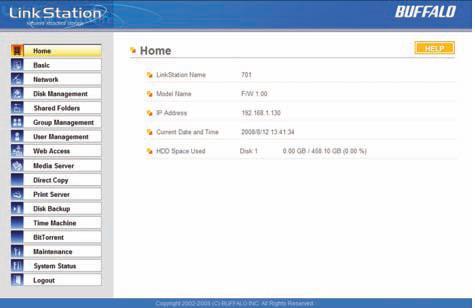
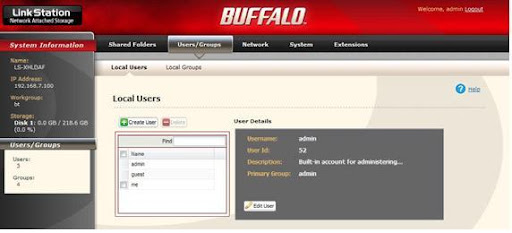
Are your remember that webadmin style.
Blue style use firmware V.1
Red style use firmware V2
Title: Re: Firmware download locations
Post by: PCPiranha on February 11, 2010, 06:46:47 AM
Post by: PCPiranha on February 11, 2010, 06:46:47 AM